THESE STEPS SHOULD ONLY BE COMPLETED ONCE. FOR THE BEST BROWSING EXPERIENCE YOU MUST INSTALL THE ST THOMAS MORE SMOOTHWALL CERTIFICATE. THE LINK TO DOWNLOAD IS BELOW:
Click here to download the certificate, then select your device below and follow the instructions.
Android
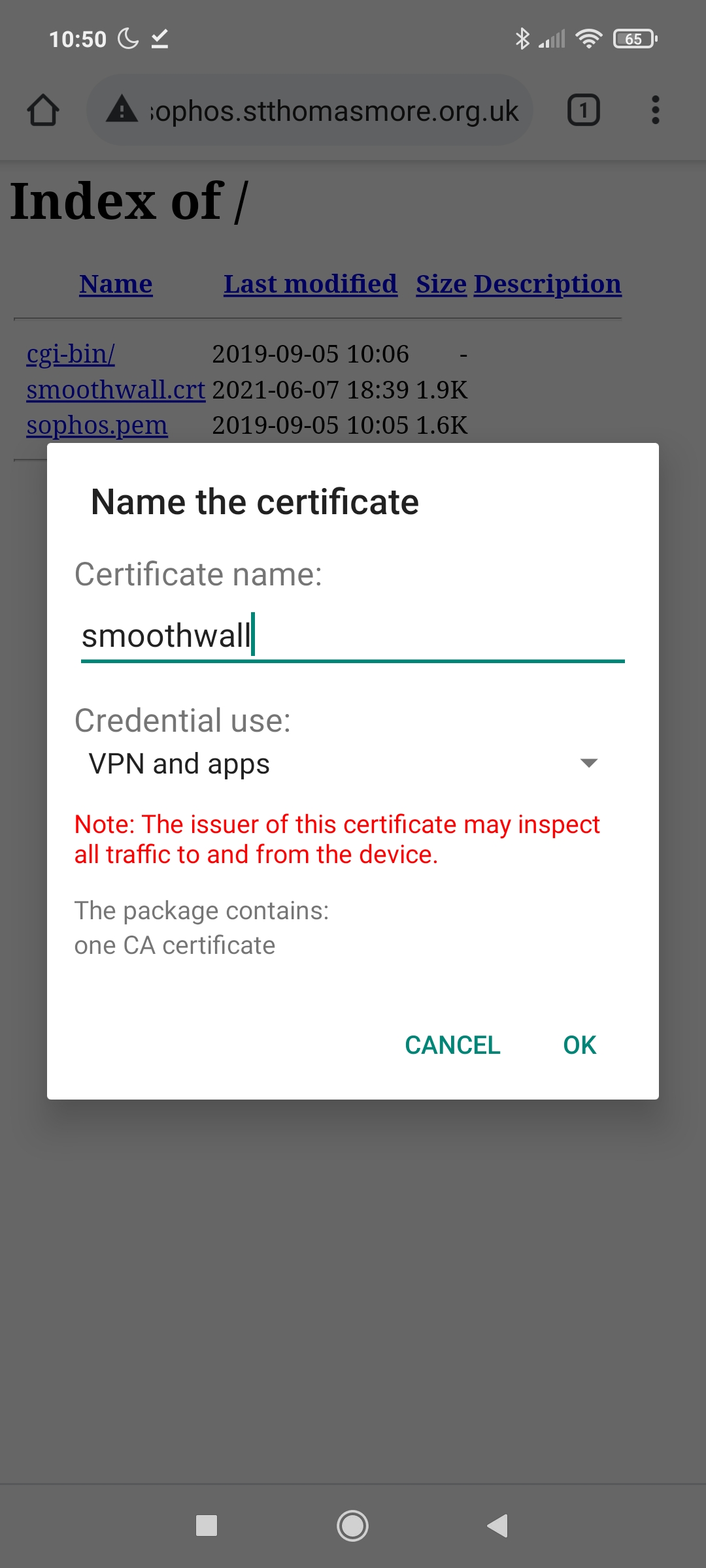
- Download and save the certificate
- Give it the name smoothwall
- You will get a message that the certificate was installed successfully.
IOS
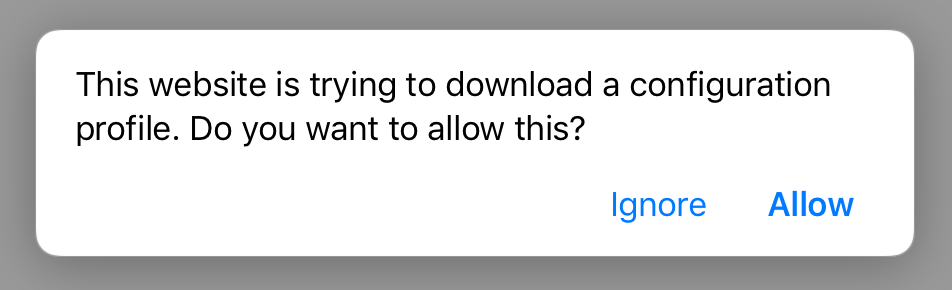
- Download and save the certificate
- Click yes to confirm you want to allow the configuration
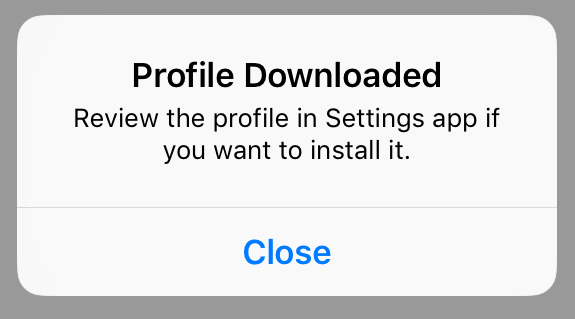
- You will get a message that the certificate was installed successfully. Click Ok
Windows:
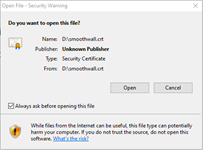
- Download and save the certificate
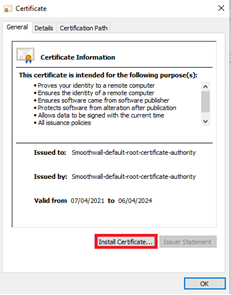
- Double click on the certificate and click open
- Click on Install
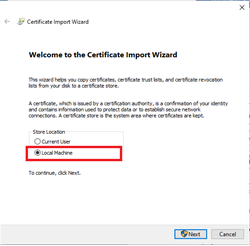
- Select Local Machine and click next
- Make sure that it is set to Automatically select the certificate store based on the type of certificate and Click next and Finish.
- You will get a message that the certificate was installed successfully. Click Ok, and click Ok on the certificate window.
MAC
- Download and save the certificate
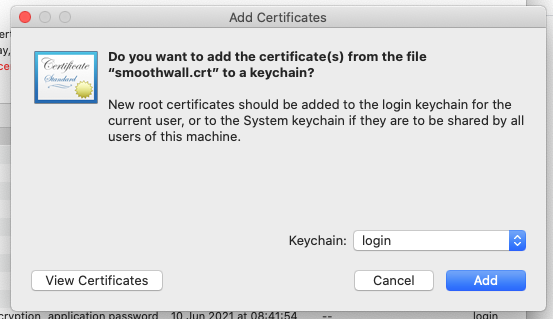
- Click add to confirm the use of the certificate
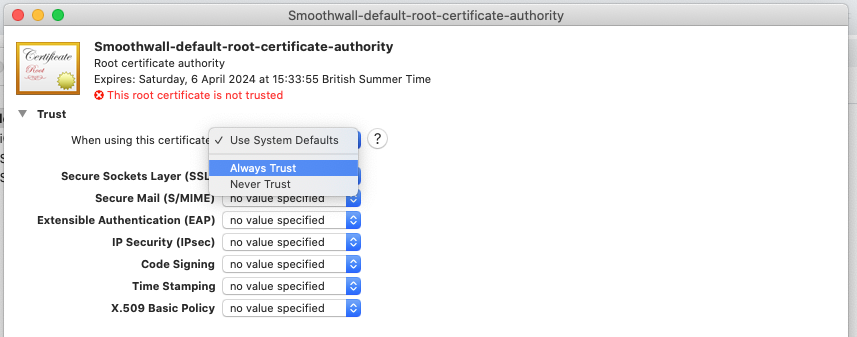
- Change the "When using this certificate" drop down, to "Always Trust"
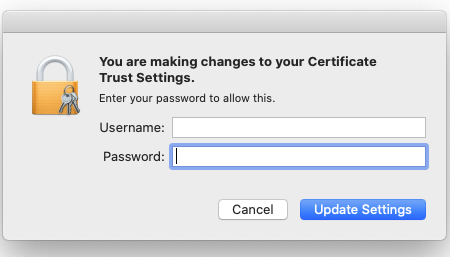
- Enter your account details to authorise the changes
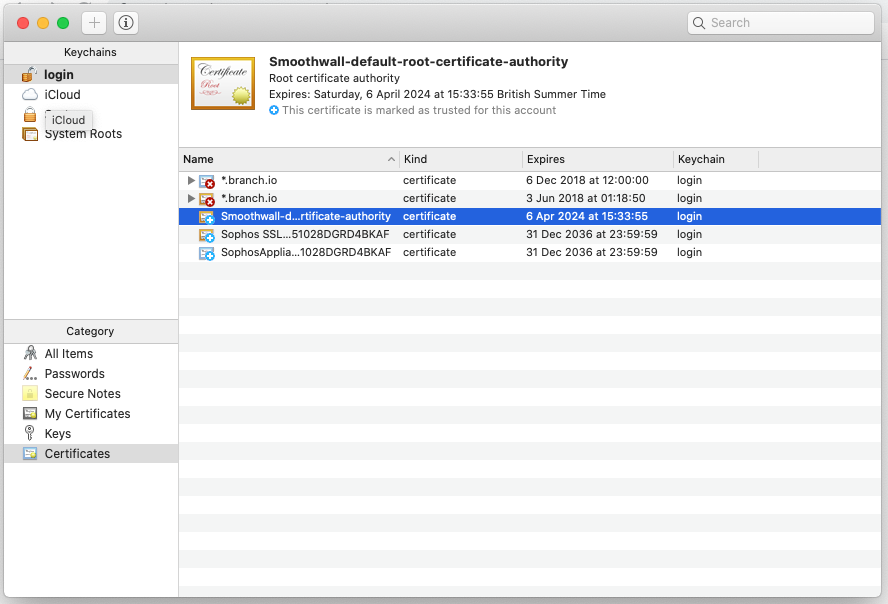
- If the certificate is highlighted in blue, it has been successfully installed